
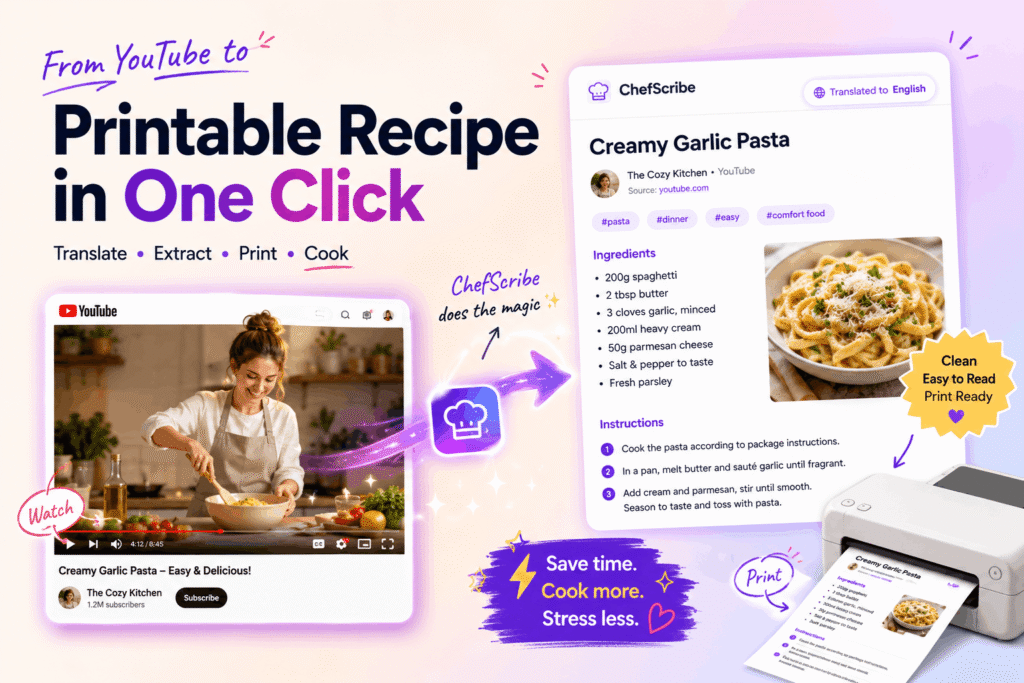
Want to know how to print a recipe from a YouTube video? You can’t print the video itself — but you can print the recipe from it, and it takes about thirty seconds if you do it the right way.
Here’s how.
For the dedicated tool page, see printable YouTube recipes — it explains how ChefScribe turns YouTube cooking videos into clean recipe cards you can save or print.
Why printing directly from YouTube doesn’t work
YouTube is a video platform. There’s no print button, no recipe card, no structured layout that a printer can do anything useful with. If a creator has included the recipe in the description, you might be able to copy and paste it — but many don’t, and even when they do it’s often incomplete: ingredients only, no method, or a link to a separate website.
The manual workaround most people end up with looks like this: pause the video, copy whatever’s in the description, rewatch to fill in the missing steps, paste everything into a document, tidy the formatting, print, then head back to the video because you missed the oven temperature. It works, technically. It’s also slow, fiddly, and easy to get wrong.
This is part of a broader problem — YouTube recipes are hard to use in the kitchen because videos are built for watching, not for following step by step at the hob. Printing forces the issue: you need a recipe card, and YouTube doesn’t give you one.
ChefScribe keeps a link back to the original YouTube video, so the creator remains credited.
The faster way: extract first, then print
The cleaner approach is to turn the YouTube video into a written recipe first, and then print that.
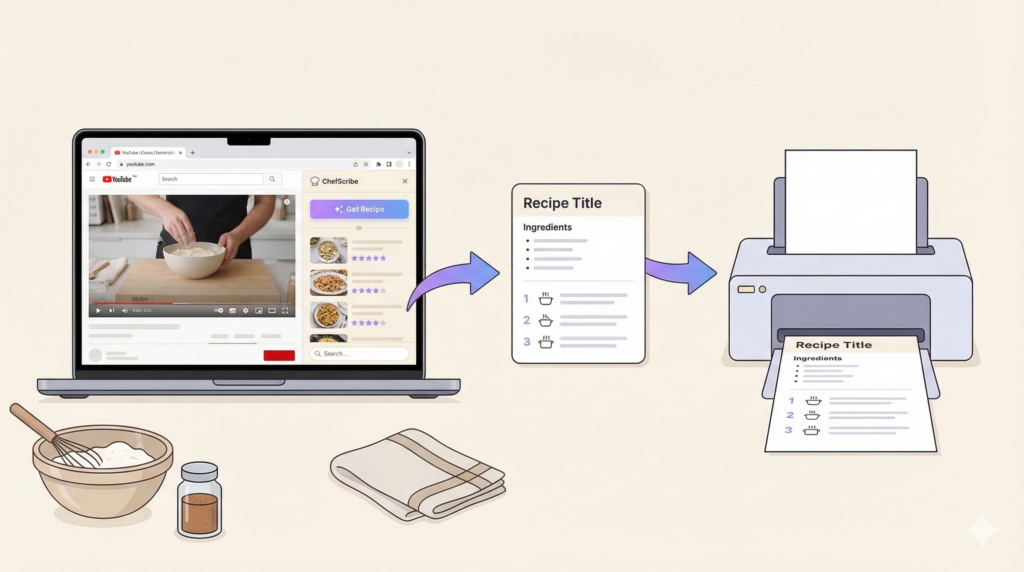
ChefScribe extracts the recipe from the video — reading the audio, pulling out ingredients and quantities, and organising the steps — and produces a properly formatted recipe card. From there, printing is a single click.
The steps:
- Open the YouTube cooking video you want
- Click Extract Recipe in ChefScribe
- Click View Full Recipe
- Click Print
No typing. No rewinding. No copying and pasting into a document and trying to make it look like a recipe.
What you actually get when you print it
The printed recipe card has what you need and nothing you don’t:
- The recipe title
- A complete ingredient list with quantities
- Numbered steps in the right order
- Cooking times and temperatures where stated in the video
No video player. No ads. No six-paragraph introduction about the creator’s trip to Tuscany. Just the recipe, laid out cleanly on the page.
That’s useful whether you’d rather cook without a screen in the kitchen, you’re sharing a recipe with someone who doesn’t use YouTube, or you just want something you can scribble notes on as you cook.
When a printed recipe is genuinely better than the video
Cooking from a screen is fine for watching technique — how the dough should feel, what colour the sauce should be. But for actually following a recipe while you cook, paper has some real advantages.
No screen timeout. Phones and tablets go to sleep. A printed recipe doesn’t. You won’t find yourself swiping floury hands across the screen every two minutes to keep it awake.
You can see everything at once. A recipe card shows all the ingredients and all the steps in one view. A video makes you scrub through a timeline to find where you are.
You can annotate it. Made the recipe and want to use less salt next time? Write it on the card. That’s harder to do with a video.
It works anywhere. Not everyone has a good internet connection in their kitchen, or a device they want near steam and splashes. A printed page doesn’t care.
What else you can do with the recipe before printing
Once ChefScribe has extracted the recipe, you have a few options before you hit print:
Check the nutrition breakdown — useful if you want to know roughly what you’re cooking before you commit to it. Can you get nutrition info from a YouTube recipe? →
Translate it — if the original video is in another language, you can get the recipe in English first, then print the translated version. How to translate a YouTube recipe into English →
Save it to your library — so you can find and print it again without hunting through your watch history. Best way to organise recipes you find on YouTube →
FAQ
Can I print a recipe directly from a YouTube video?
Not directly — YouTube doesn’t have a print function or a structured recipe format. You need to extract the recipe first, then print the recipe card.
What’s the easiest way to print a recipe from a YouTube video?
Use ChefScribe to extract the recipe from the video, then click print on the recipe card. It takes about thirty seconds and gives you a clean, properly formatted page.
What if the creator didn’t include the recipe in the description?
ChefScribe reads the video audio rather than just the description, so it can extract a recipe from videos where the creator never wrote one down.
Does the printed recipe card include the original creator’s credit?
Yes. ChefScribe recipe cards link back to the original YouTube video, so the source is always visible.
Final thoughts
Printing a recipe from a YouTube video is a small thing that makes cooking from YouTube a lot more pleasant. No more hovering over a screen, no more swiping with messy hands, no more losing your place in the video while the pan is getting too hot.
Extract the recipe. Print it. Cook from it.
👉 Start with the printable YouTube recipes page, or install ChefScribe free from the Chrome Web Store.
Related guides:
Can you get nutrition info from a YouTube recipe?
How to get a recipe from a Youtube video
Why YouTube recipes are hard to follow while cooking
