See your week
Move between days and see which meals you have planned.
THE WHOLE RECIPE. THE WHOLE ROUTINE.
Turn YouTube cooking videos into recipes you can keep. Organise your favourites, plan your meals and get your shopping list ready — all with ChefScribe.
Chrome extension + web app available now · iPhone app coming soon
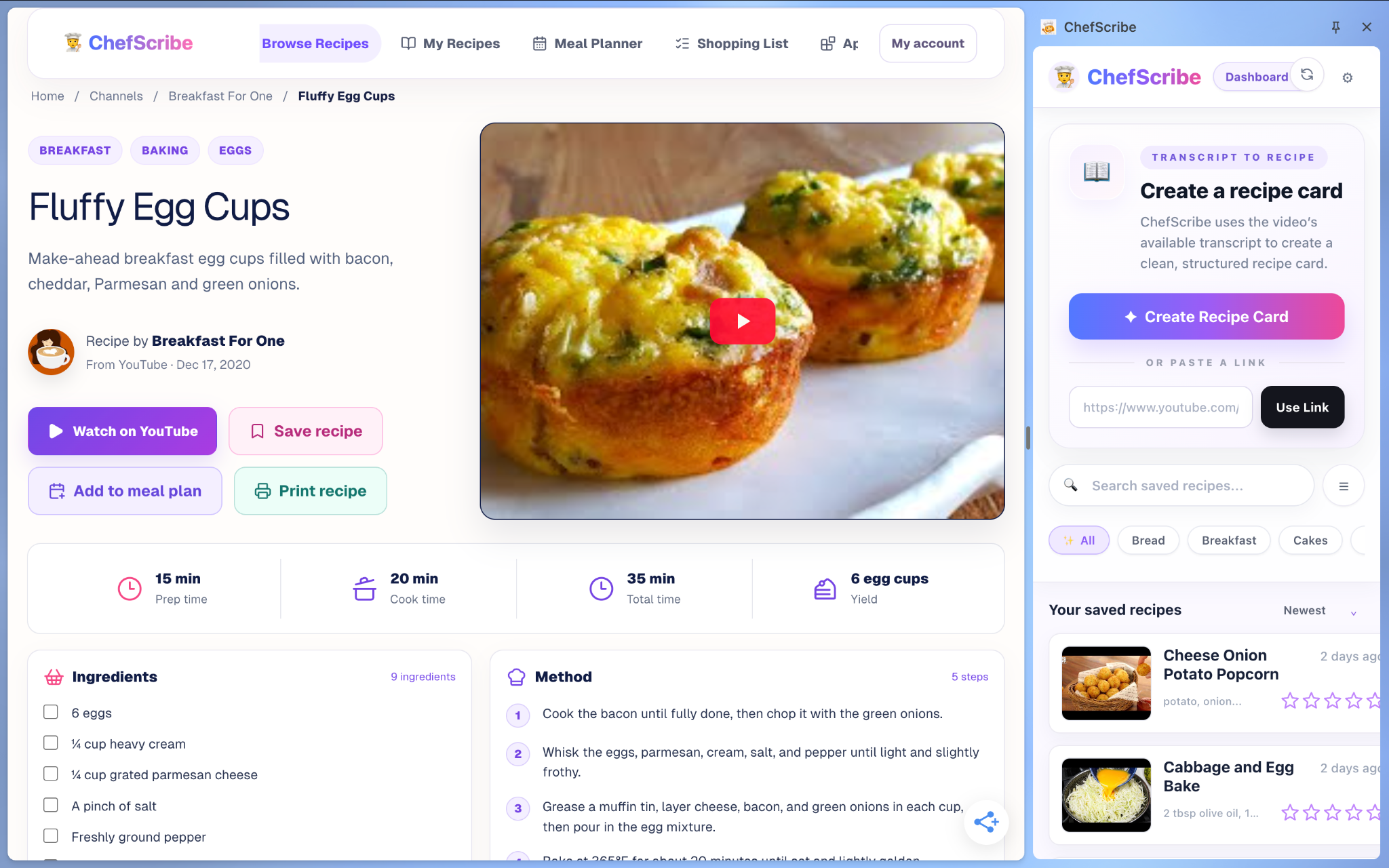
01 / KEEP THE RECIPE, LOSE THE REWINDING
ChefScribe turns the available recipe details from a YouTube cooking video into a clear card, so you can spend less time taking notes.
Works best with clearly explained recipes and a usable transcript. YouTube Shorts are not supported.
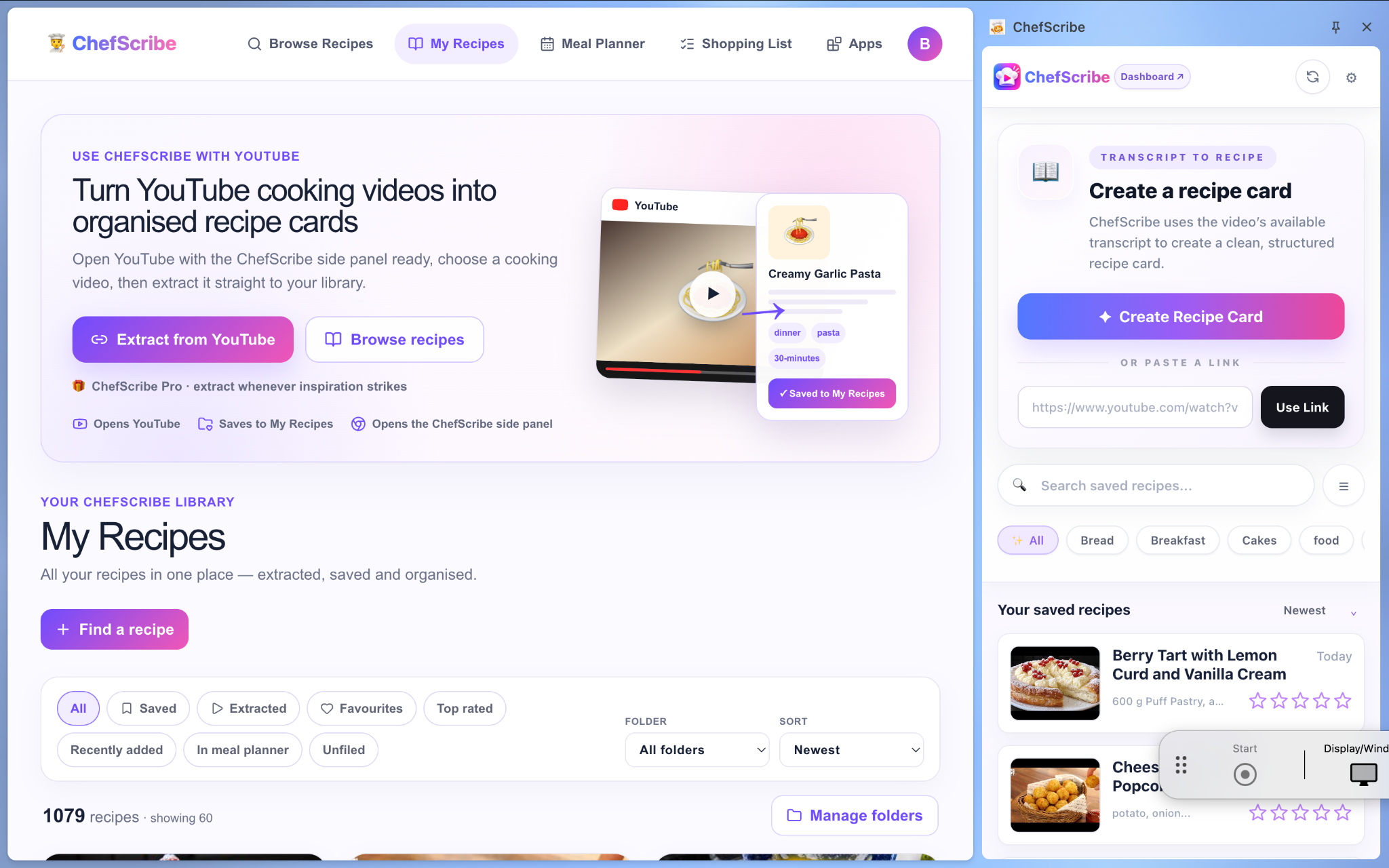
02 / A COLLECTION YOU’LL ACTUALLY USE
Give your favourite recipes a home, instead of losing them in a jumble of bookmarks.
03 / FROM RECIPE COLLECTION TO WEEKLY ROUTINE
Give your saved recipes a place in your week. See your days together, organise your meals and keep an eye on estimated nutrition — all in the ChefScribe web app.
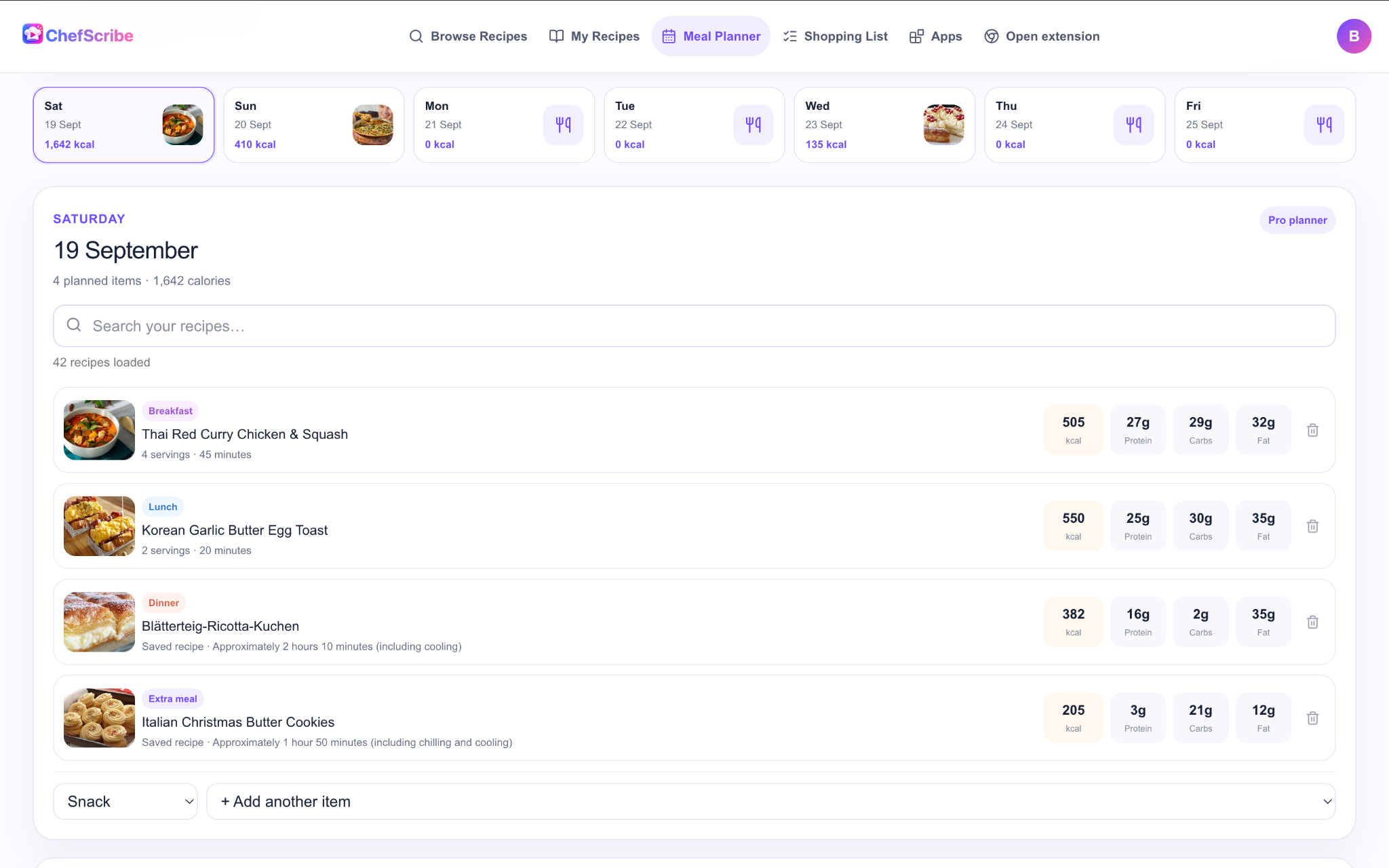
Move between days and see which meals you have planned.
Organise breakfast, lunch, dinner and extra meals in your day.
Search your collection and add recipes to your plan.
View daily calorie totals and the available macros for planned meals.
04 / READY FOR THE KITCHEN
Make the recipe easier to follow, whether you’re cooking for yourself or feeding a few more.
Change the serving count and recalculate supported ingredient quantities. Check quantities and cooking times before you start.
Tick off ingredients and steps as you go, so it’s easier to see what you’ve prepared and what comes next.
See estimated calories and macros when enough recipe detail is available. Estimates are a guide, not verified nutritional analysis.
05 / WHAT WILL YOU COOK NEXT?
Explore the public recipe collection for inspiration, browse recipe cards and save discoveries to your own collection.
Explore the recipes →Find something worth making.
AT YOUR DESK. IN YOUR KITCHEN.
Create recipe cards alongside YouTube videos on desktop Chrome.
Get the extension ↗Open your recipe collection, meal planner and shopping lists in your browser.
Open ChefScribe →Another way to bring ChefScribe into your cooking routine. Not available to download yet.
Features and plan availability can differ by platform. See pricing for current plan details.
THE FULL PICTURE
A FEW USEFUL DETAILS
No. Extraction needs suitable recipe information in the available transcript. Videos without enough spoken detail may produce incomplete cards. YouTube Shorts are not supported. Always check ingredients and instructions against the original.
ChefScribe has Free and Pro plans. Check the pricing page for current allowances and what each plan includes.
Compare plans →No. Nutrition is estimated from the available ingredient and serving information. Missing quantities or substitutions can affect the result. Check source information carefully if you have specific dietary needs.
No. Recipe cards retain the source link, so you can return to the creator for techniques, demonstrations and context.
Not yet — the iPhone app is coming soon. The Chrome extension and web app are available now.

Start with a recipe. Build a cooking routine that works for you.
