
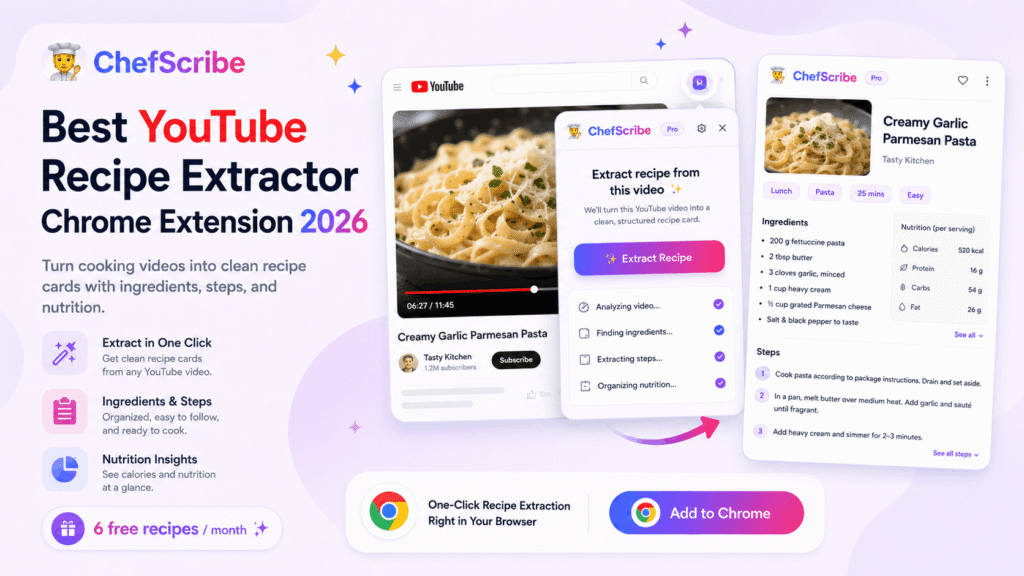
YouTube is one of the best places to find cooking inspiration, but it is not always the easiest place to actually follow a recipe.
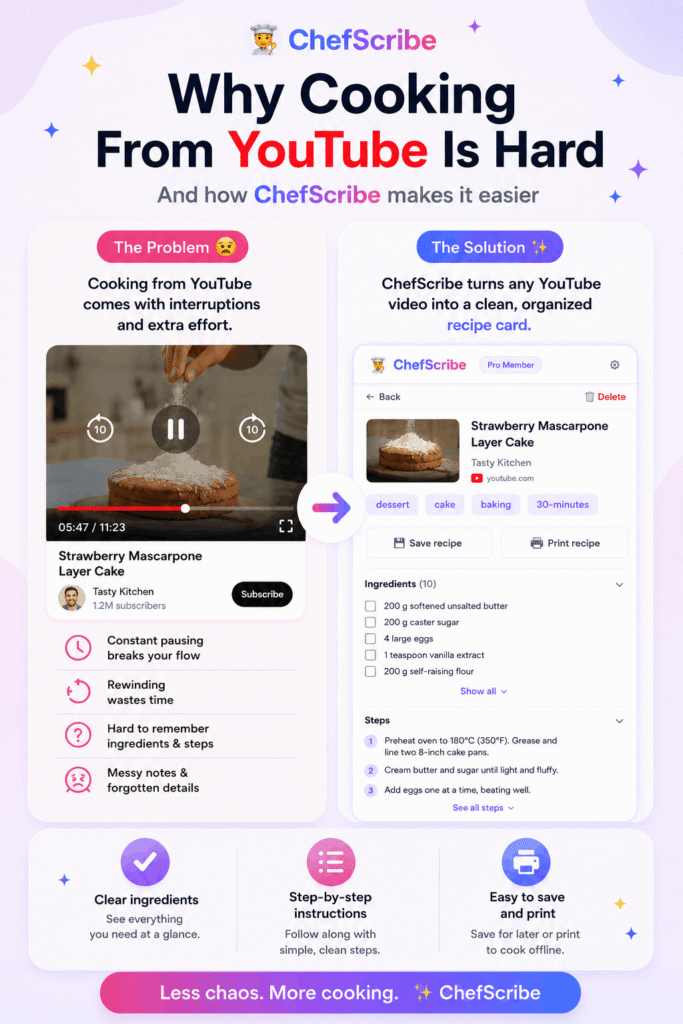
You find a great cooking video. The food looks amazing. The creator explains things quickly. The ingredients might be in the description, partly in the video, partly spoken out loud, or hidden in the comments. Then, when you start cooking, you end up pausing, rewinding, scrubbing back through the timeline, and trying to remember whether the garlic went in before or after the onions.
That is exactly where a YouTube recipe extractor Chrome extension can help.
A good YouTube recipe extractor turns a cooking video into a clear recipe card with ingredients, steps, servings, cooking notes, and useful details you can follow while you cook. Instead of fighting the pause button, you get a cleaner version of the recipe beside the original video.
ChefScribe was built for this exact problem.
What is a YouTube recipe extractor?
A YouTube recipe extractor is a tool that helps turn a YouTube cooking video into a written recipe format.
Instead of watching the same section again and again to catch the ingredient amounts or cooking order, the extractor looks for the useful recipe information and turns it into a structured card.
A useful YouTube recipe extractor should help you create:
- a clear ingredients list
- step-by-step cooking instructions
- serving information
- estimated nutrition when enough detail is available
- a link back to the original YouTube video
- a recipe card you can save, print, translate, or open later
This is especially helpful when the video is fast-paced, the description is messy, or the recipe is explained naturally while the person cooks.
Why use a Chrome extension for YouTube recipes?
A Chrome extension is one of the easiest ways to extract recipes from YouTube because it works directly where you are already watching the video.
Instead of copying a video link into a separate website, opening another tab, or manually typing notes, you can open the cooking video on YouTube and use the extension from your browser.
That makes the workflow much simpler:
- Open a YouTube cooking video.
- Click the recipe extractor Chrome extension.
- Generate a clean recipe card.
- Cook from the card without constant pausing and rewinding.
For desktop cooking research, meal planning, saving recipe ideas, or building a personal collection of recipe cards, this is much smoother than copying recipes by hand.
Best YouTube recipe extractor Chrome extension: ChefScribe
ChefScribe is a YouTube recipe extractor Chrome extension that turns cooking videos into clean, usable recipe cards.
It is designed for people who already use YouTube for recipes but want a calmer way to cook from videos.
ChefScribe can help extract:
- ingredients
- step-by-step instructions
- servings
- timings
- estimated nutrition
- translated instructions
- printable recipe cards
- saved recipe links
It also keeps a link back to the original YouTube video, so you can still support the creator and return to the video whenever you want.
What makes ChefScribe useful?
ChefScribe is not trying to replace YouTube creators. The point is to make their recipes easier to follow while cooking.
YouTube is brilliant for inspiration, technique, personality, and visual learning. Recipe cards are better for checking quantities, steps, and order while your hands are busy in the kitchen.
ChefScribe gives you both.
You can watch the original video to understand the technique, then use the extracted recipe card when you are actually cooking.
Key features to look for in a YouTube recipe extractor
When choosing a YouTube recipe extractor Chrome extension, look for more than just a basic transcript tool.
A good recipe extractor should understand that cooking information needs structure.
1. Ingredient extraction
The most important feature is a clean ingredients list.
A useful tool should be able to identify ingredients from the video, transcript, or description and organise them into a list that is easy to read.
This matters because YouTube creators often mention ingredients naturally while cooking rather than listing them neatly.
2. Step-by-step instructions
Ingredients alone are not enough. You also need the cooking method.
A good YouTube recipe extractor should turn the video into ordered steps, so you know what to do first, what comes next, and when to move to the next stage.
This is what makes a recipe card much easier to cook from than a raw transcript.
3. Saveable recipe cards
If you often discover recipes on YouTube, you need a way to save them.
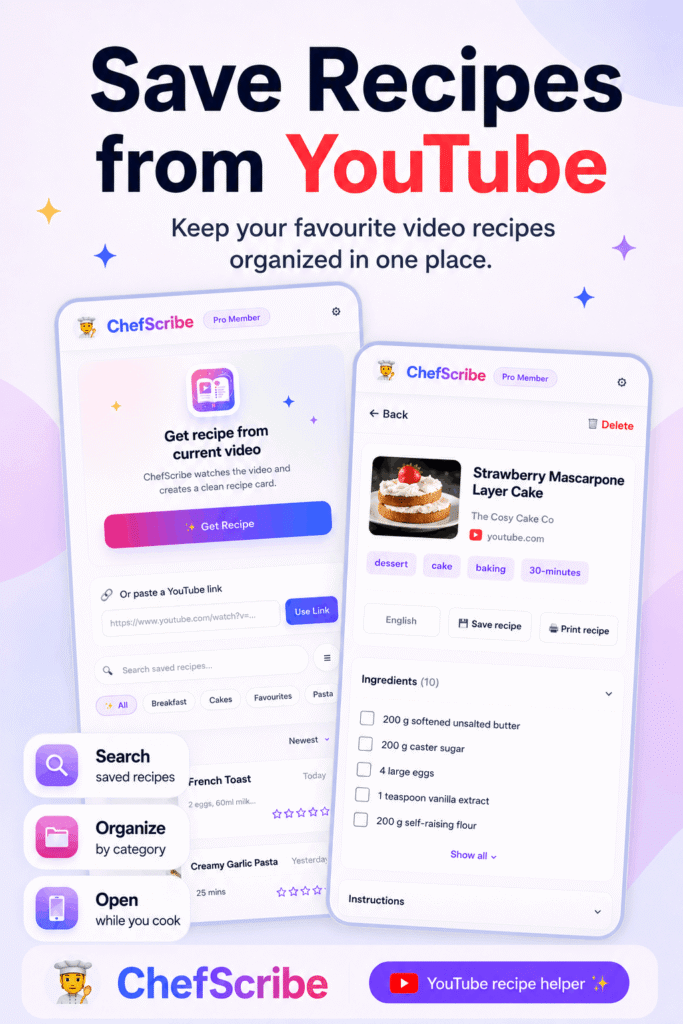
ChefScribe creates recipe cards you can come back to later, so you do not have to search your watch history or remember which creator made which dish.
4. Printable recipe cards
Some people prefer cooking from paper rather than a screen.
Printable recipe cards are useful when you want the recipe on the counter without keeping your laptop open or repeatedly unlocking your phone.
5. Translation
YouTube has amazing cooking videos from all over the world.
A good recipe extractor can help you follow recipes in another language by translating the extracted ingredients and instructions into English.
This opens up far more cooking ideas than only using English-language videos.
6. Nutrition estimates
Nutrition estimates are useful for meal planning, tracking calories, or understanding the general balance of a recipe.
ChefScribe can estimate nutrition when enough detail is available in the recipe information.
ChefScribe vs copying recipes by hand
You can always copy a recipe from YouTube manually, but it is slow.
Manual copying usually means:
- watching the video more than once
- pausing at every ingredient
- checking the description
- reading comments for missing details
- typing notes into another app
- guessing unclear amounts
- trying not to lose your place while cooking
ChefScribe makes that process much easier by creating a structured recipe card from the video.
You still have the original video for context, but you also get a cleaner format for cooking.
ChefScribe vs using a YouTube transcript
A YouTube transcript can be helpful, but it is not the same as a recipe.
A transcript is usually just the spoken words from the video. It may include jokes, side comments, repeated phrases, unclear timings, and lots of information that is not part of the recipe.
A recipe card is different.
A recipe card separates the useful cooking information into ingredients and steps. That makes it easier to scan while cooking.
ChefScribe is designed to turn the messy cooking-video experience into something closer to a proper recipe format.
Who is ChefScribe best for?
ChefScribe is useful for anyone who watches cooking videos on YouTube and wants to cook from them more easily.
It is especially helpful for:
- home cooks who save lots of YouTube recipe ideas
- people who hate pausing and rewinding while cooking
- meal planners who want recipe cards from videos
- people who follow international cooking channels
- bakers who need clearer quantities and steps
- busy cooks who want to save recipes quickly
- anyone who wants printable recipe cards from YouTube videos
If you use YouTube as your main recipe discovery tool, ChefScribe can make the whole process calmer and more organised.
How to use ChefScribe
Using ChefScribe is simple.
- Install the ChefScribe Chrome extension.
- Open a YouTube cooking video.
- Click the ChefScribe extension.
- Let ChefScribe extract the recipe.
- Review the recipe card.
- Save, print, translate, or cook from the card.
You can also browse public recipe examples to see the kind of cards ChefScribe creates before using it on your own videos.
Is ChefScribe free?
Yes. ChefScribe includes 6 free recipe extractions every month.
That means you can try it on real YouTube cooking videos before deciding whether you need more.
This is useful because every YouTube video is different. Some videos include clear ingredients and steps. Others are more casual, fast, or incomplete. Trying a few videos helps you see how well the extractor works for the recipes you actually watch.
What kind of YouTube videos work best?
ChefScribe works best with cooking videos that include clear recipe information.
The best results usually come from videos where the creator:
- says the ingredients clearly
- includes ingredient amounts
- explains the method in order
- adds recipe details in the description
- shows a complete cooking process
Videos with very little explanation, no ingredient quantities, or lots of missing details may produce less complete recipe cards.
That is normal for any recipe extraction tool because the tool can only work with the information available in the video and description.
Why ChefScribe is a good YouTube recipe extractor for 2026
In 2026, more people are using YouTube as a recipe search engine. Cooking videos are more visual, more personal, and often more useful than traditional recipe blogs.
But the cooking experience still needs structure.
ChefScribe fills that gap by turning video inspiration into practical recipe cards.
It gives you the visual learning of YouTube plus the clarity of a written recipe.
That makes it a strong choice if you want a YouTube recipe extractor Chrome extension that is built specifically for cooking videos, not just generic transcription.
Final verdict: the best YouTube recipe extractor Chrome extension
If you want to extract recipes from YouTube videos and turn them into clean recipe cards, ChefScribe is built for exactly that.
It helps you move from messy video watching to a calmer cooking workflow:
- watch the original YouTube video
- extract the useful recipe details
- cook from a clear card
- save or print the recipe for later
For anyone who regularly cooks from YouTube, ChefScribe is a practical Chrome extension to try.
You can install ChefScribe on Chrome and get 6 free recipe extractions every month.
