
Install ChefScribe
Add the extension from the Chrome Web Store, then open a cooking video or Short.
ChefScribe for desktop Chrome
Open a cooking video on YouTube, tell ChefScribe what you’d change, and get a fresh recipe idea to review and save to your collection.
The extension is for desktop Chrome. On a phone or tablet, use the ChefScribe web app.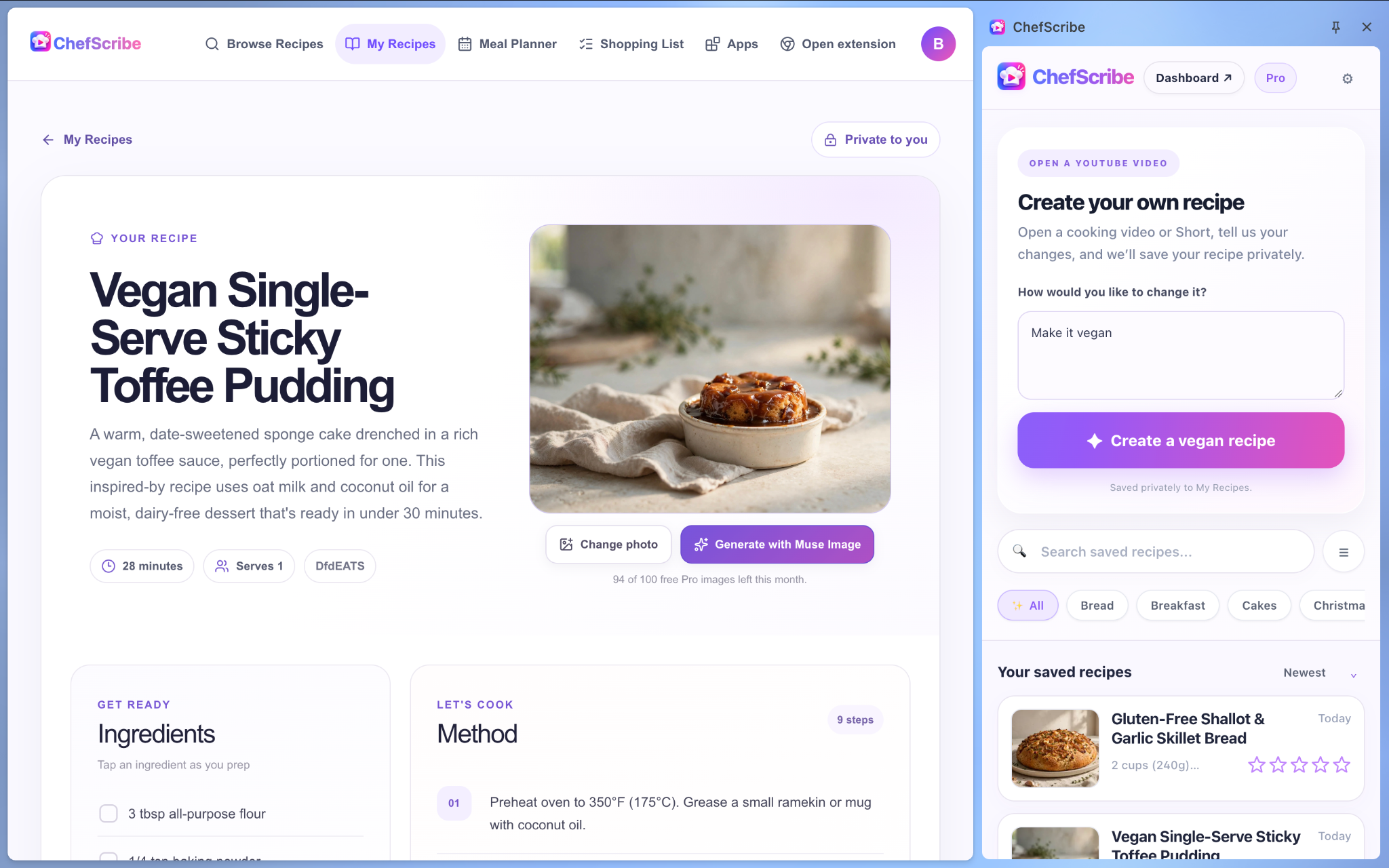
From YouTube to your recipe library
ChefScribe uses a supported video’s title and description together with what you ask for.
Add the extension from the Chrome Web Store, then open a cooking video or Short.
Ask for a different diet, ingredient swap, flavour, serving size or other preference.
ChefScribe creates a fresh recipe idea. Review it, then save it to your collection.
Inspired by the video, made your own
ChefScribe creates a new recipe suggestion from the video’s title and description plus your preferences. You can review the result, save it, and open it later in the web app.
A fresh, milder recipe idea shaped around your preferences.
Cooking on your phone?
Use the ChefScribe web app on your phone or tablet. Paste a YouTube link there and create your recipe without installing the desktop extension.
Open the web app →Start creating
Install ChefScribe in desktop Chrome and create your first recipe idea.
Add to Chrome — it’s free →