If you’ve ever wondered how to turn a YouTube video into a recipe, you’ll know how frustrating it can be.
You find the perfect recipe on YouTube.
The chef makes it look simple.
The dish looks incredible.
You’re ready to cook.
Then reality hits.
You pause the video.
Rewind 10 seconds.
Miss the measurement again.
Pause.
Rewind.
Now your hands are covered in flour and your phone screen is a mess.
Somewhere between the garlic and the olive oil, the video jumps back to the intro music all over again.
And the worst part? You’re not even sure you got it right.
If you’ve ever tried to cook from a YouTube video, you already know the problem: videos are brilliant for learning, but not always great for following step by step in the kitchen.
The good news is that you can turn a YouTube video into a recipe you can actually use while cooking—and it can take seconds, not 20 minutes of rewinding.
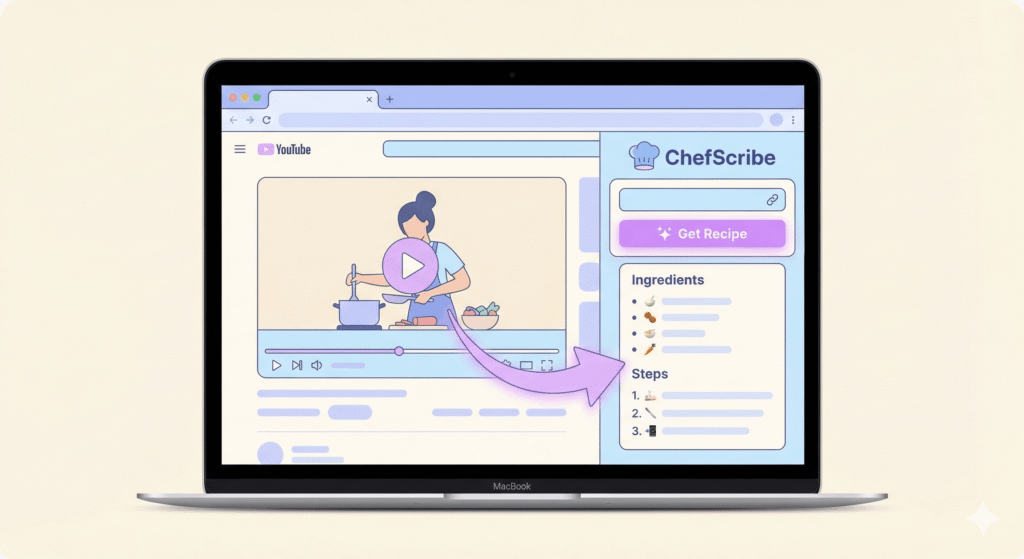
If you’d rather skip the pausing and rewinding entirely, tools like ChefScribe can turn a YouTube cooking video into a clean, step-by-step recipe in seconds.
In This Guide
- Why cooking from YouTube videos can be frustrating
- Why recipes are easier to follow
- Different ways to turn a YouTube video into a recipe
- What makes a good recipe card
- How recipe extraction tools help
- Common questions about converting YouTube recipes
Can You Turn a YouTube Video Into a Recipe?
Yes. You can turn a YouTube video into a recipe by extracting the ingredients, measurements, and method from the video or description, then organising them into a clear format with ingredients and step-by-step instructions.
That matters because a structured written recipe is far easier to follow while cooking than a long video timeline full of pauses, rewinds, and half-missed measurements.
If the stop-start chaos is your main issue, you might also like our guide on how to cook along with a YouTube recipe without constantly rewinding
Why Recipes Are Still Better While Cooking
Cooking videos are fantastic for showing technique. You can see things that are hard to explain in text, such as:
- texture
- timing
- knife skills
- cooking methods
Watching a chef prepare a dish can teach you a lot.
But when it comes to actually making the food yourself, written recipes are usually much easier to use.
A written recipe lets you:
- see all ingredients at once
- check quantities quickly
- follow clear numbered steps
- save the recipe for later
- print it if needed
- cook without constantly pausing the video
That’s why traditional recipe websites are built around two simple sections: ingredients and instructions.
YouTube videos rarely work that way. Ingredients, measurements, and steps are often mixed into the narration, scattered through the video, or shown briefly on screen and then gone.
That makes it much harder to extract a recipe from a YouTube video than it should be.
Common Problems With YouTube Recipes
Cooking from YouTube videos can be surprisingly awkward for a few predictable reasons.
Ingredients appear too quickly
Some creators flash the ingredient list on screen for only a few seconds. If you’re not ready to pause at exactly the right moment, you miss it.
Measurements are spoken in passing
A chef might casually mention “about a tablespoon” while chopping onions or stirring a sauce—and suddenly you’re skipping back 10 seconds for the third time.
Instructions are mixed into conversation
In many cooking videos, the method is woven into casual chat rather than presented in clear steps. That makes it harder to know exactly what comes next.
Rewinding breaks your flow
Trying to cook while controlling a video on your phone or laptop interrupts everything. It turns cooking into a stop-start experience.
The full recipe isn’t always included
Some creators include the full method in the description, but many don’t. Sometimes you’ll get ingredients only. Sometimes there’s a link elsewhere.
These are exactly the reasons people want to convert a YouTube video into a written recipe before they start cooking.
The Old Way: Manually Extracting Recipes From YouTube Video
Before recipe tools existed, most people had to rebuild the recipe themselves.
That usually meant:
- watching the entire video once
- pausing to write down the ingredients
- rewatching to catch measurements
- rewatching again to write out the steps
- pausing constantly while cooking
It works—in the same way posting a letter by canoe technically works—but it’s slow and frustrating.
Some videos show the ingredient list only briefly. Others never show the full method at all. And even if you capture everything, you still have to organise it yourself.
If you’ve run into these issues before, you’re not alone—here’s a deeper look at why YouTube recipes are hard to follow while cooking.
How to Turn a YouTube Video into a Recipe (The Simple Way)
There are a few different ways to do it, depending on how much effort you want to put in.
1. Check the video description
Some creators include the full recipe in the description. Look for sections labelled:
- Ingredients
- Method
- Instructions
This is the easiest option when it’s available—but it often isn’t complete.
2. Screenshot the ingredient list
If ingredients appear on screen, you can pause and capture them.
This helps with shopping, but you’ll still need to piece together the method.
3. Write it out manually
You can watch the video and create your own version.
This works for simple recipes—but it’s time-consuming and not exactly fun. If you’ve tried it, you’ll know how quickly it turns into constant rewinding.
4. Use a YouTube recipe converter
The easiest way to turn a YouTube video into a recipe is to extract it automatically.
Tools like ChefScribe act as a YouTube recipe converter, turning videos into structured recipe cards with:
- ingredients
- step-by-step instructions
- cooking time
- servings
This lets you watch the video for inspiration while following a clean, usable recipe while you cook.
Once you’ve converted a video, it also helps to save recipes from YouTube so you can come back to them later *
A Better Way: Turn the YouTube Video Into a Recipe
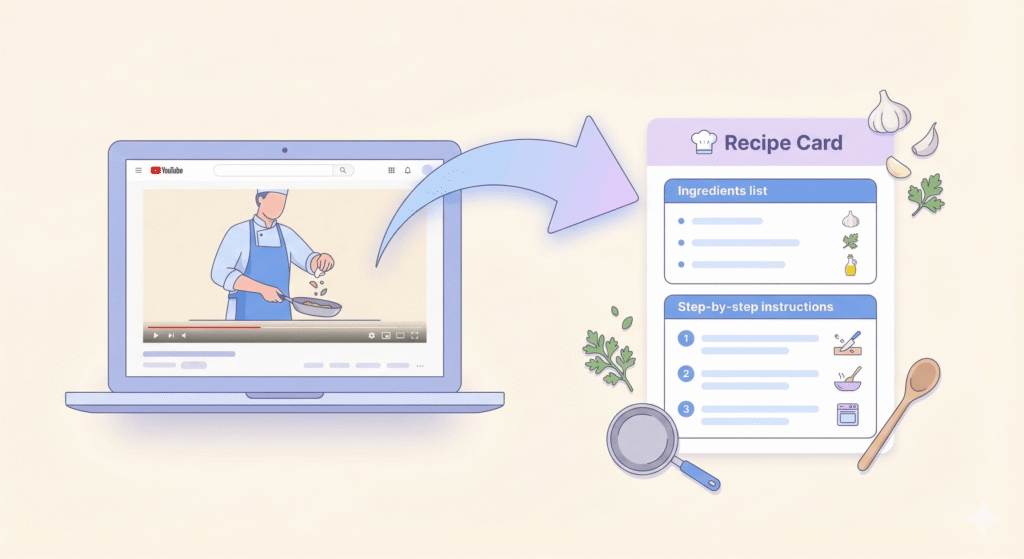
Instead of rebuilding everything manually, you can organise the video into a proper recipe format.
Here’s what that looks like in practice:
Ingredients
2 chicken breasts
1 tbsp olive oil
2 cloves garlic
1 tsp paprika
salt and pepper
Instructions
Heat olive oil in a pan over medium heat.
Season the chicken with paprika, salt, and pepper.
Cook for 6–7 minutes per side until golden.
Add garlic and cook for another minute.
Once a recipe is structured like this, it becomes far easier to follow.
You can still watch the chef for technique—but the written version does the practical work.
Why Recipe Cards Make Cooking Easie
No more rewinding. No more guessing measurements.
Once you turn a YouTube video into a recipe, cooking becomes much simpler.
Recipe cards let you:
- see ingredients at a glance
- follow clear instructions
- avoid constant pausing and rewinding
- save recipes for later
- print recipes if needed
- cook with less stress and less mess
Instead of fighting the video timeline, you can focus on actually cooking.
👉 Turn any YouTube video into a clean step-by-step recipe in seconds
See how it works → View the Recipe Card
Ingredients, steps, and timings extracted automatically from the video.
The Best Way to Cook With YouTube Recipes
YouTube is one of the best places on the internet to learn cooking.
You can discover new dishes, watch chefs in real time, and learn techniques from all over the world.
But videos are designed for watching—not for following step by step while your pan is sizzling.
When you turn a YouTube video into a recipe, you get the best of both worlds:
- watch the chef for technique
- follow a structured recipe while you cook
That’s the difference between struggling through a video… and actually enjoying the cooking.
FAQ: Turning YouTube Videos Into Recipes
What’s the easiest way to turn a YouTube video into a recipe?
The easiest way is to use a tool to extract a recipe from a YouTube video into a structured format such as Chefscribe.
Do YouTube videos usually include the full recipe?
Sometimes—but not always. Many videos only include partial information or link elsewhere.
Why are written recipes easier to follow than videos?
Because you can see all ingredients and steps in one place, without pausing or rewinding.
What should a good recipe include?
A full ingredient list, clear measurements, step-by-step instructions, and ideally prep time, cook time, and servings.
What’s the easiest way to turn a YouTube video into a recipe?
Using a YouTube recipe converter that extracts ingredients and steps automatically.
Final Thoughts
If you love finding recipes on YouTube, you’re not alone. It’s one of the best places to get inspired.
But inspiration and usability are not the same thing.
A written recipe turns a great cooking video into something practical. Instead of juggling rewinds, screenshots, and scraps of paper, you get a format that’s actually built for cooking.
And that’s the difference between fighting the video… and actually enjoying the cooking.
👉 Try ChefScribe here: [Install from Chrome Web Store]