
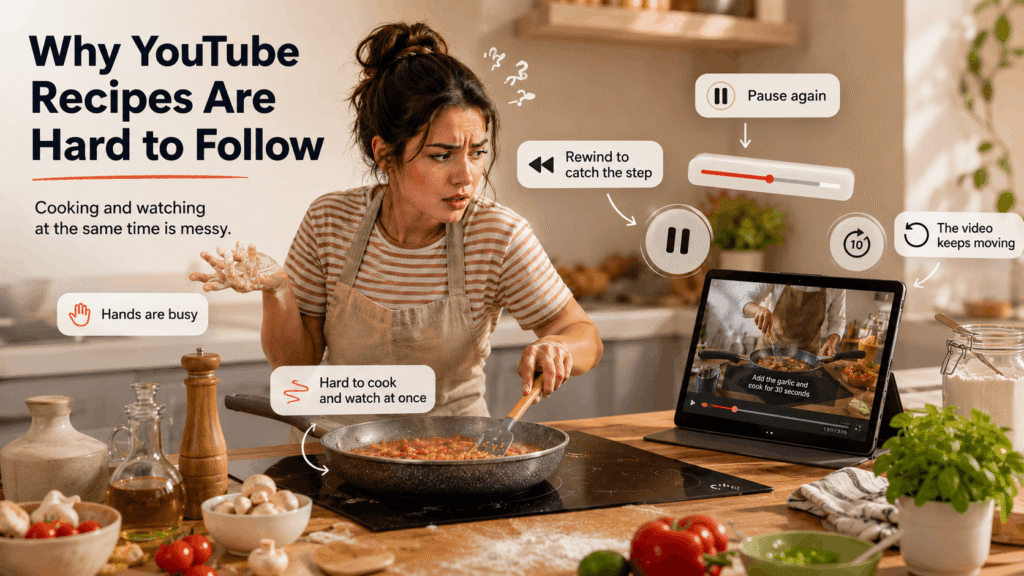
YouTube is one of the best places to learn how to cook.
You can watch professional chefs prepare dishes step by step, see how ingredients should look at each stage, and pick up techniques that are difficult to explain in written recipes.
But when you actually try to cook along with a YouTube video, things often get frustrating.
You pause. You rewind. You scrub back through the timeline.
Before long you’ve watched the same ten seconds three times while something on the stove starts to overcook.
So why does this happen — and what can you actually do about it?
1. Ingredients flash past too quickly
Many cooking channels show the ingredient list only briefly. It might appear as a quick graphic on screen, spoken rapidly at the start of the video, or in a text overlay that disappears after a few seconds.
If you miss it, you’re forced to rewind or scroll through the description.
Unlike a written recipe, there’s no permanent ingredient list you can glance at while cooking.
2. Instructions are hidden inside the video
YouTube videos are designed to be engaging and entertaining. Creators often mix the actual cooking instructions with storytelling, personal commentary, cooking tips, background information, and sponsorship segments.
This makes the video enjoyable to watch, but it also means the actual steps are scattered throughout. Instead of a clear numbered list, you have to listen carefully and catch instructions as they appear.
3. Important details are easy to miss
Cooking relies on small details. A chef might casually mention something important like “add a pinch of salt here” or “turn the heat down now” or “cook this until it looks like this.”
If you miss that moment, you have to rewind and find the exact point again. When you’re cooking in real time, that quickly becomes exhausting.
4. Your hands aren’t free
Cooking is messy. Your hands might be wet, covered in flour, greasy, or holding a knife or pan. That makes it awkward to constantly pause and scroll through a video — every interaction requires touching your phone or laptop again.
With a written recipe, you can glance at the next step without touching anything.
5. Video timing doesn’t match real cooking
YouTube cooking videos are edited. Steps that take several minutes in real life may be shortened to a few seconds. Onions browning might be shown in a quick jump cut, sauces thickening may be time-lapsed, and preparation steps may be skipped entirely.
This makes it difficult to match the pace of the video while you’re actually cooking.
6. Recipes are often buried in the description
Sometimes the full recipe does exist — but it’s hidden in the video description, which means you need to open the description, scroll through links and text, find the ingredients, and then switch back to the video. This constant switching breaks your cooking flow.
YouTube vs recipe blogs: which is better for home cooks?
It depends what you’re trying to do.
YouTube is better for learning technique. Watching someone fold pasta dough, deglaze a pan, or judge when oil is hot enough is far more useful than reading about it. For learning how to cook, video wins easily.
Recipe blogs and written recipes are better for actually cooking. A written recipe lets you glance at the next step without pausing anything, check a quantity without rewinding, and follow along at your own pace. You don’t need to touch your phone, and the recipe doesn’t go to sleep mid-cook.
The honest answer is that most experienced home cooks use both: YouTube to learn a dish, a written recipe to cook it. The frustration comes from trying to use a YouTube video as a written recipe — it was never designed to work that way.
Why written recipes are still easier to follow
Video is excellent for learning techniques. But when you’re actually cooking, a written recipe is far more practical.
A structured recipe lets you quickly see the full ingredient list, clear step-by-step instructions, and cooking times and measurements — all at a glance, without pausing anything.
That’s why many people end up writing down YouTube recipes before they start cooking.
How to cook along with a YouTube recipe without constantly pausing
The root problem is that you’re trying to use a video as a reference document. It isn’t one.
The fix is to convert the YouTube video into a written recipe card before you start cooking. That way you get the best of both formats: the video for technique and inspiration, the written card for actually following at the stove.
There are a few ways to do this:
Write it out manually. Watch the video once, pause and note as you go. Works fine, takes 20–30 minutes for a moderately complex recipe.
Check the description. Some creators include the full recipe there. Worth checking first — but many don’t, or only include a partial list.
Use a recipe extractor. Tools like ChefScribe convert the YouTube video into a structured recipe card automatically — ingredients, steps, timings, and servings — in seconds. You can then follow the written card while the video plays in the background for reference, without needing to touch the timeline at all.
👉 Try ChefScribe free — install from the Chrome Web Store
Once you have a written recipe card, you can cook at your own pace without the video dictating your timing. No rewinding. No frantic pausing. Just cooking.
For more on turning videos into usable recipes: how to get a recipe from a youtube video.
Final thoughts
YouTube is an amazing place to discover recipes and learn new cooking techniques. But videos aren’t designed to function as step-by-step recipes while you’re cooking — they’re made to be watched.
The easiest solution is to stop trying to cook from the video itself, and instead convert it into a written recipe card you can actually use at the stove. That one step removes most of the frustration.
Related guides:
