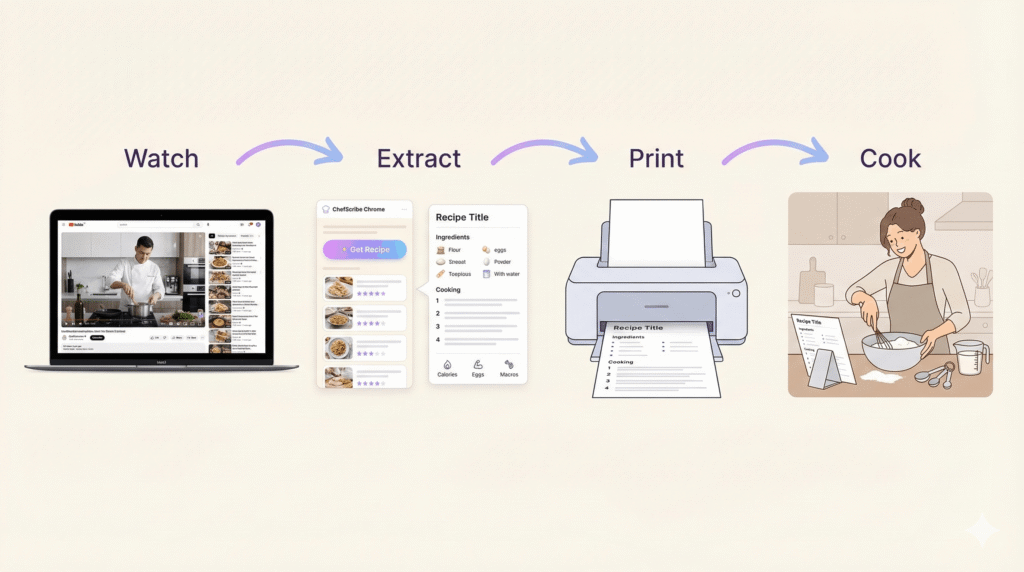
You’re halfway through cooking.
Your hands are covered in flour.
The oven is preheating.
The video jumps back to the intro. Again.
You sigh. You scroll. You rewind.
There has to be a better way to print a recipe from a YouTube video.
Good news: there is.
Why Printing YouTube Recipes Is Weirdly Difficult
YouTube is brilliant for learning technique. You can see textures, timing, and little chef tricks you’d never spot in a written blog post.
But when you want to print Youtube recipe, things get… messy.
Most videos:
- Flash ingredients quickly on screen
- Mix instructions into storytelling
- Bury key temperatures and timings
- Skip written steps entirely
And unless the creator has typed everything neatly in the description (rare), you’re left pausing and rewinding over and over.
It’s not relaxing. And cooking should feel good.
The Old Way: Manual Copy & Paste (AKA Kitchen Stress)
Here’s what most people do:
- Pause the video.
- Copy whatever is in the description.
- Rewatch to fill in missing steps.
- Type everything into Notes or Word.
- Format it so it looks printable.
- Print.
- Realise you missed the oven temperature.
- Rewind. Again.
It works… but it’s slow. And slightly chaotic.
If you cook regularly from YouTube, that’s a lot of time spent scrubbing back and forth.
If you’re tired of pausing and rewinding cooking videos, you may also want to read how to turn YouTube recipes into step-by-step instructions.
The Simple Way: Turn the Video into a Printable Recipe
Instead of manually rebuilding the recipe yourself, you can extract it into a clean, structured format.
That means:
- A clear ingredient list
- Numbered step-by-step instructions
- Proper formatting
- Ready-to-print layout
No cinematic intro. No commentary. Just the recipe.
That’s exactly what ChefScribe is designed to do.
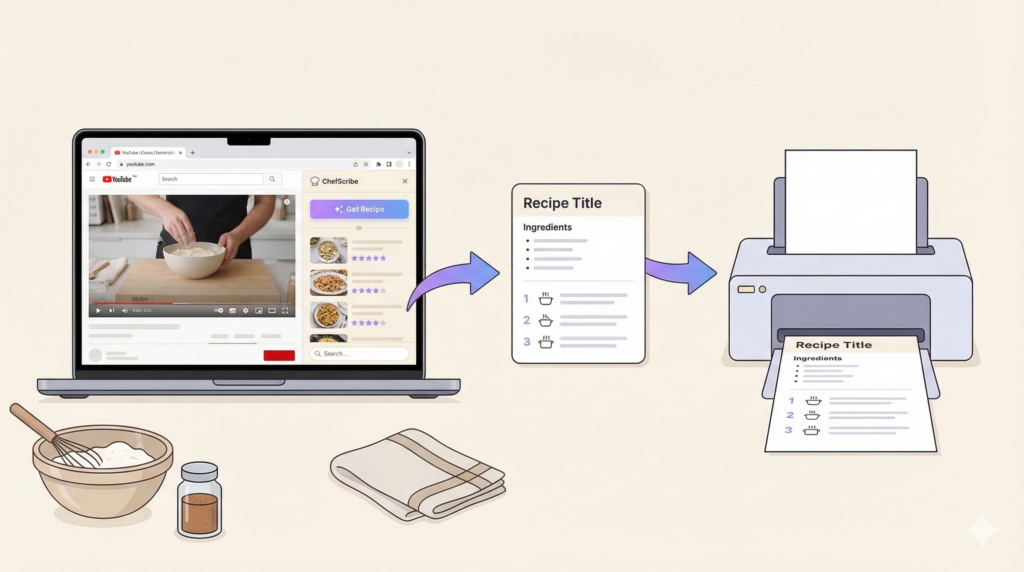
How to Print a Recipe from YouTube Using ChefScribe
Here’s how it works:
- Open a YouTube cooking video.
- Click the 📋 “Extract Recipe” button.
- ChefScribe pulls the ingredients and steps into a clean recipe card.
- Click View Full Recipe.
- Click Print.
Done.
No rewinding.
No typing.
No missed temperatures.
Just a neat, structured recipe you can keep on the counter.
What Your Printed Recipe Looks Like
Instead of a messy block of copied text, you get:
Recipe Title
Ingredients
- 2 cups flour
- 1 tsp salt
- 200g mozzarella
- etc.
Method
- Preheat oven to 180°C.
- Mix dry ingredients.
- Add wet ingredients and combine.
- Bake for 25 minutes.
Clean. Calm. Printable.
(And if you’re anything like most home cooks, you’ll probably appreciate not touching your phone every 30 seconds with floury fingers.)
Why This Makes Cooking More Enjoyable
When your recipe is printed:
- You stop hovering over your phone.
- You stop rewinding.
- You focus on cooking.
- You feel organised instead of rushed.
It sounds small, but it changes the experience completely.
YouTube is fantastic for discovery.
Printed recipes are fantastic for actually cooking.
You don’t have to choose between them anymore.
Final Thoughts
If you love discovering recipes on YouTube but hate the back-and-forth chaos of cooking from video, printing a clean version is the easiest upgrade you can make.
No more rewinding 14 times.
Just:
Watch → Extract → Print → Cook.
Much nicer.
👉 Try ChefScribe here: [Install from Chrome Web Store]