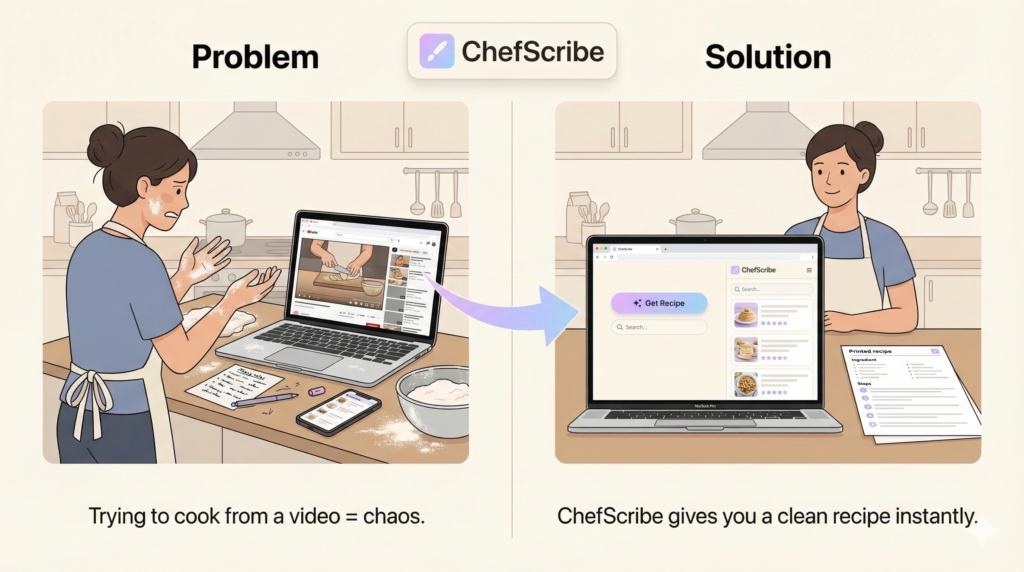
You’re halfway through cooking. Your hands are covered in flour. Suddenly, the video jumps back to the intro.
You smile… because you’ve been here before.
Cooking from YouTube is amazing. You discover new cuisines, learn from passionate creators, and get to see advanced techniques up close. The only problem? When it’s time to actually cook, you need structure—not cinematic slow-motion.
Let’s make the ability to save a recipe from a YouTube video easier, faster, and much more enjoyable.
Why YouTube Cooking Videos Are Brilliant (But Not Built for Cooking)
YouTube is perfect for culinary inspiration and learning techniques. But when you’re in the middle of baking or sautéing, you don’t want a story—you just want the facts:
- A clean, readable ingredient list
- Clear, numbered, step-by-step instructions
- Quick confirmation of oven temperatures and prep timings
Instead, cooking from a video often means dealing with ingredients that flash briefly on the screen, crucial steps woven into five minutes of storytelling, and constant, frustrating rewinding.
It’s not a disaster, but it’s highly inefficient. Cooking should feel calm, not chaotic.
The Traditional Ways to Save YouTube Recipes (And Why They Fall Short)
If you’ve ever tried to save a recipe from a video, you’ve likely used one of these workarounds:
- The Copy & Paste Method: You pause the video, scroll through the description box, and manually type out the missing steps into your notes app. Verdict: It works, but it’s incredibly time-consuming.
- The Screenshot Method: You quickly grab a screenshot of the ingredient list on your phone before the frame changes. Verdict: Helpful in the moment, but terrible for organizing or finding the recipe again months later.
These methods aren’t wrong, but they disrupt your workflow.
A Smoother Way to Convert YouTube Videos to Recipes
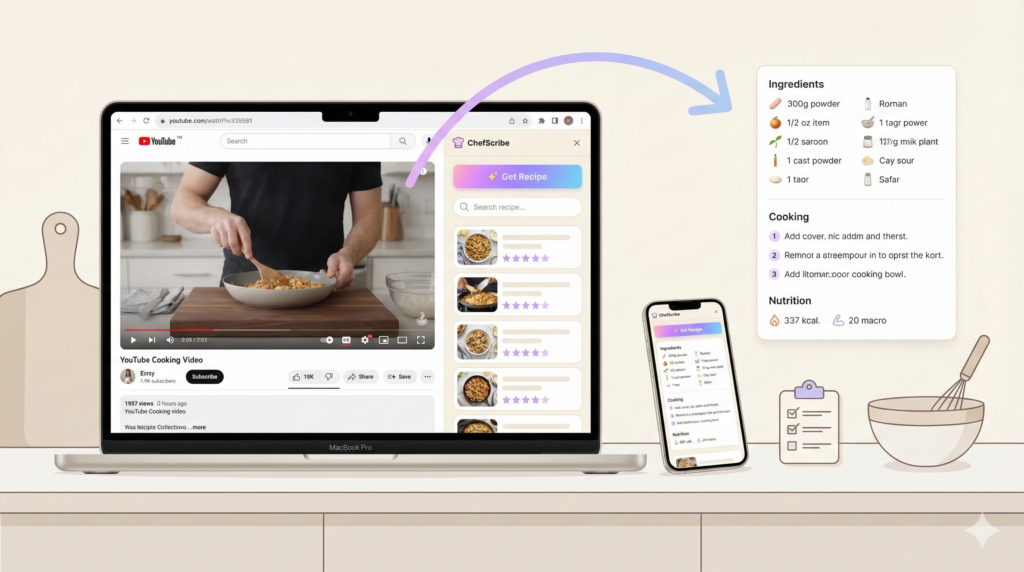
If you regularly cook from YouTube, there is a much better workflow: ChefScribe
ChefScribe is a simple, privacy-focused Chrome extension designed specifically for turning cooking videos into structured, easy-to-read recipes. Instead of juggling rewinds and screenshots, you click once and get a beautifully formatted recipe card right beside the video.
Why Home Cooks Love ChefScribe:
- ✨ Clear Ingredients & Step-by-Step Instructions: Everything is neatly organized and easy to follow so you can stay in the zone.
- ✨ Automatic Nutrition Breakdown: Instantly view calories per serving, plus macros like protein, carbs, and fats.
- ✨ One-Click Shopping List: Easily copy ingredients straight into your digital notes or favorite grocery app.
- ✨ Instant Translation: Love international food? Convert foreign language recipes into English instantly.
- ✨ Your Personal Recipe Library: Every saved recipe becomes searchable. Create folders like “Weeknight Wins” or “Sunday Bakes,” add star ratings, and search by custom tags (like #dessert or #30-minutes).
- ✨ Seamless Mobile Experience: Extract the recipe on your desktop Chrome browser, then open a clean, readable link on your phone or tablet to use while you cook.
How It Works (In 3 Simple Steps)
Getting your recipe takes seconds:
- Open your favorite cooking video on YouTube.
- Click the ChefScribe extension in your browser.
- View your structured recipe instantly beside the video.
That’s it. No rewinding. No typing. No flour-covered trackpad panic.
You can see the YouTube recipe converted into a structured recipe card here.
Bring the Joy Back to Cooking
YouTube is a gift for home cooks. Pair it with the right structure, and it becomes the ultimate digital cookbook.
ChefScribe is free to install, and the free plan includes 6 full recipe extractions—allowing you to experience the entire workflow before deciding to upgrade.
If you love discovering new meals online, this extension will make your time in the kitchen smoother, calmer, and infinitely more enjoyable. Because the only thing that should rise in the kitchen… is your sourdough. 🍞
👉 Try ChefScribe here: [Install from Chrome Web Store]